Built for audio nerds · Windows, coming to Mac
Play it. Shape it. Watch it.
Lucent is a music player built for audio nerds. A real audio editor, a studio analyzer and a 32-band equalizer are built in, and it paints every sound live on your graphics card with 141 visuals. On Windows now, with a Mac version on the way.
Lucent-Setup.exe · Windows 10 and 11 · No admin needed · Updates itself
The player
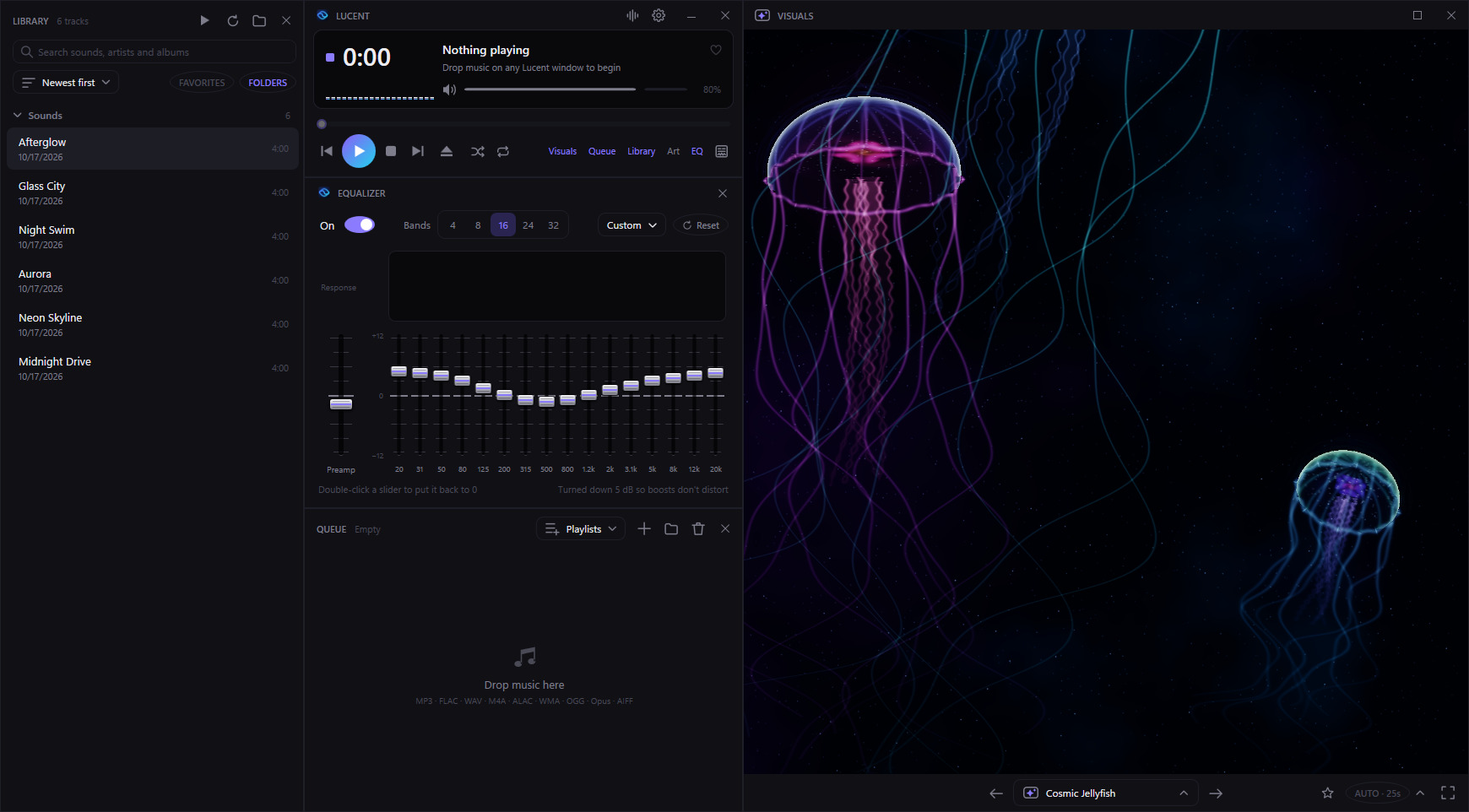
A small player. Windows that snap together.
The equalizer, queue, library, analyzer, artwork and visuals each get their own window. Edges snap to each other and to the screen, and docked windows travel together when you drag.
141 visuals
Every frame is drawn live on your graphics card.
Each visual listens to the bass, mids, treble and beat of what's playing. Physically lit scenes with real reflections, hundreds of thousands of particles per frame, and endless fractals and kaleidoscopes.
Auto mode lands on the downbeat
Lucent studies each sound ahead of time and changes visual at the start of a phrase, with morphs that melt, glow, fly or fold one into the next.
Find one in seconds
Press V and start typing. Visuals sit in family folders with tags like Calm, Intense, Neon and Space. Star your favorites and Auto sticks to them.
Up to 4K, with HDR
Render at 1080p, 1440p or 4K supersampled down, from Low to Ultra detail with up to four times the particles. Highlights shine past white on HDR screens.
Audio editor
Edit, repair and measure without leaving your player.
Right-click any sound and choose Open in editor. Cut it, clean it up, check its loudness and master it with studio meters and your own VST3 effects. Every change has undo, and nothing is saved over the original until you say so.
Cut, copy and paste
Joins crossfade so nothing clicks, Snap lands selections on zero crossings, and paste works between sounds and other apps.
Analyze
Peak, true peak, loudness, loudness range, DC offset, stereo correlation and spectrum, plus a finder that jumps to every clipped spot.
Meters and views
A level meter with true peak and LUFS as you play or loop a section, and a spectrogram view in place of the waveform.
Repair
Take out 50 or 60 Hz hum, clicks and crackle, background noise and DC offset.
EQ and dynamics
A 7-band parametric EQ, a compressor and a true-peak limiter, all heard live, next to your own VST3 effects.
Tempo and pitch
Tempo from 50 to 200%, keeping the pitch or not, or the pitch alone in 0.1 semitone steps.
Channels and markers
Swap, invert, mix to mono, widen the stereo or edit one side alone, and drop markers to jump between parts.
Batch it
The converter can normalize, limit, EQ, compress, de-hum, trim silence and fade every sound in a batch, with tags and artwork carried across.
Analyzer
See the whole sound, not just this second.
A scrolling spectrogram heatmap of everything you play, with a waveform, a live spectrum and a stereo spread scope. Press Y to open it, and point at the heatmap to read any frequency.
Spectrogram
The music as a heatmap, low notes at the bottom, colored by loudness.
Waveform
The signal scrolling underneath, in step with the heatmap.
Spectrum
Bars on the same frequency scale right now, with peak marks.
Stereo spread
How wide the mix is, with a bar for how alike the left and right sides are.
Holds still while the music is paused, so you can look closer. Docks with the other windows and follows your skin and theme.
Studio equalizer
Faders like a mixing desk, over the music's live spectrum.
- 4, 8, 16, 24 or 32 bands. Switching keeps your curve, and the new faders rise into place.
- See problem frequencies as peaks behind the response curve.
- 15 presets like Bass Boost, Vocal, Late Night and Small Speakers, or save your own.
- Safe boosting. Lucent lowers the preamp a touch when you boost, so nothing distorts.
Skins and themes
Five skins. Eight themes. Any combination.
Skins decide the shape, type and finish of every window. Themes decide the colors. Pick one here and this page changes with it.
Theme: Midnight · Skin: Lucent
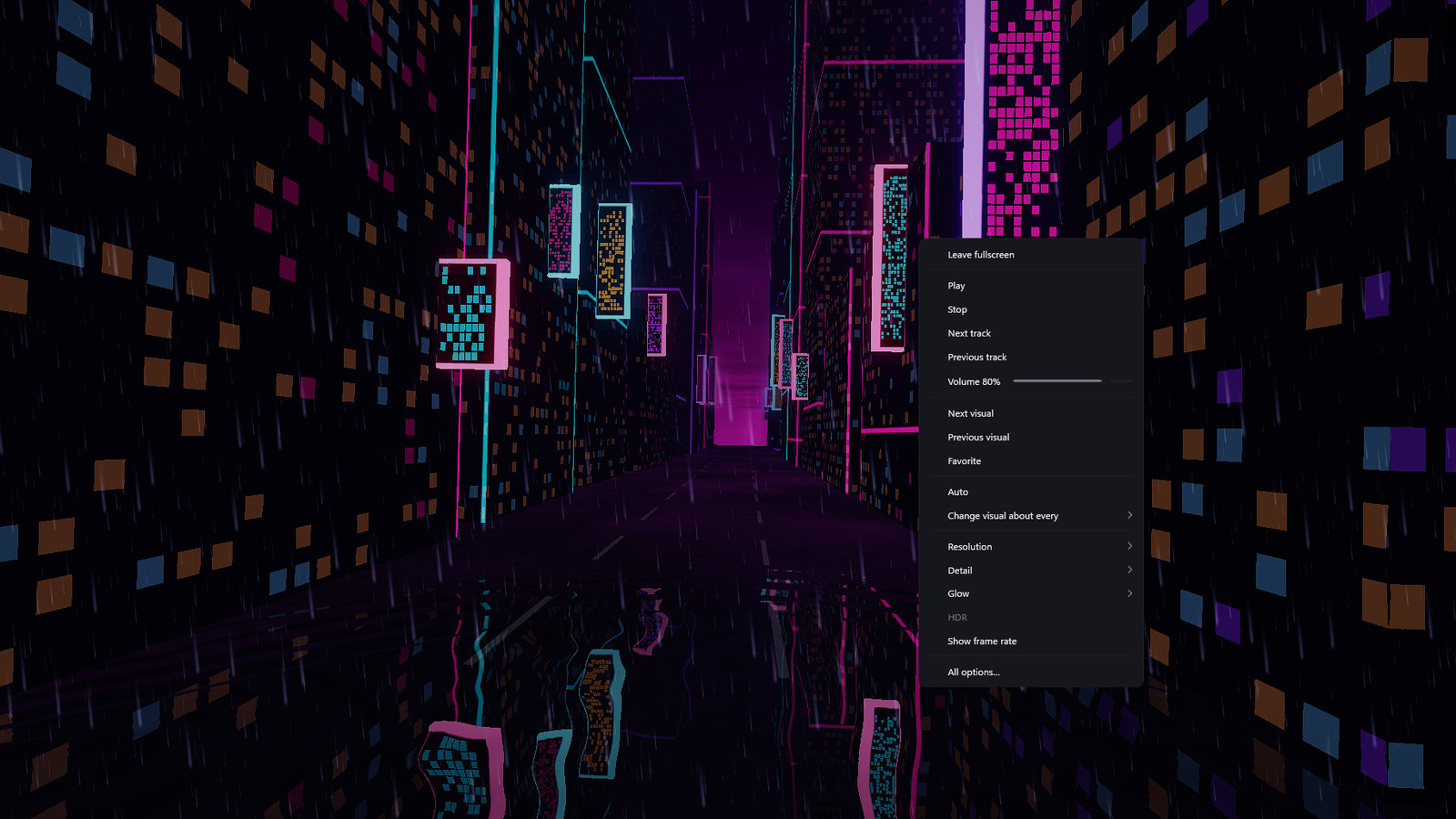
Fullscreen with F11. Right-click for a seek bar, volume and every graphics option.
For people who care how it sounds
Everything else you'd reach for.
Library
Link a folder and every sound shows up, searchable as you type.
Favorites and playlists
Heart sounds, star visuals, and save standard .m3u8 playlists that other players can open too.
Artwork window
The playing sound's cover, as big as you like, pinned on top if you want it.
Keyboard first
One key for every window and visual, and your media keys work while Lucent has focus.
Tag editor
Titles, artists, lyrics and cover art, saved to a checked copy first.
Make your own visuals
Each visual is one HLSL shader. Drop yours in a folder and it shows up in the picker.
Plays MP3 · FLAC · WAV · AAC/M4A · ALAC · WMA · OGG Vorbis · Opus · AIFF

Get Lucent for Windows.
Free and open source under the MIT license. A Mac version is in the works.
- System
- Windows 10 or 11, 64-bit. macOS coming soon.
- Graphics
- Any Direct3D 11 GPU. A recent one gets you Ultra and 4K.
- Install
- Your account only, no admin rights
Download the installer
Grab
Lucent-Setup.exefrom the latest build.Run it
Lucent installs for your Windows account, adds Start menu and desktop shortcuts, and opens with the player, equalizer and visuals ready.
Forget about updates
Each launch checks for a newer build and installs it when you close Lucent. Want it now? Click UPDATE in the title bar. Your settings, playlists and visuals stay put.